Orders & delivery tracking
The Orders page shows the orders that have been sent to PantryClub for delivery, and lets you follow each one’s progress from “Received” all the way to “Delivered”.
When a customer places an order in Shopify, it’s sent to PantryClub automatically for picking, packing, and delivery. As the order moves through the warehouse and out on the road, PantryClub sends the delivery status back into the app so you always know where each order is.
The orders list
Section titled “The orders list”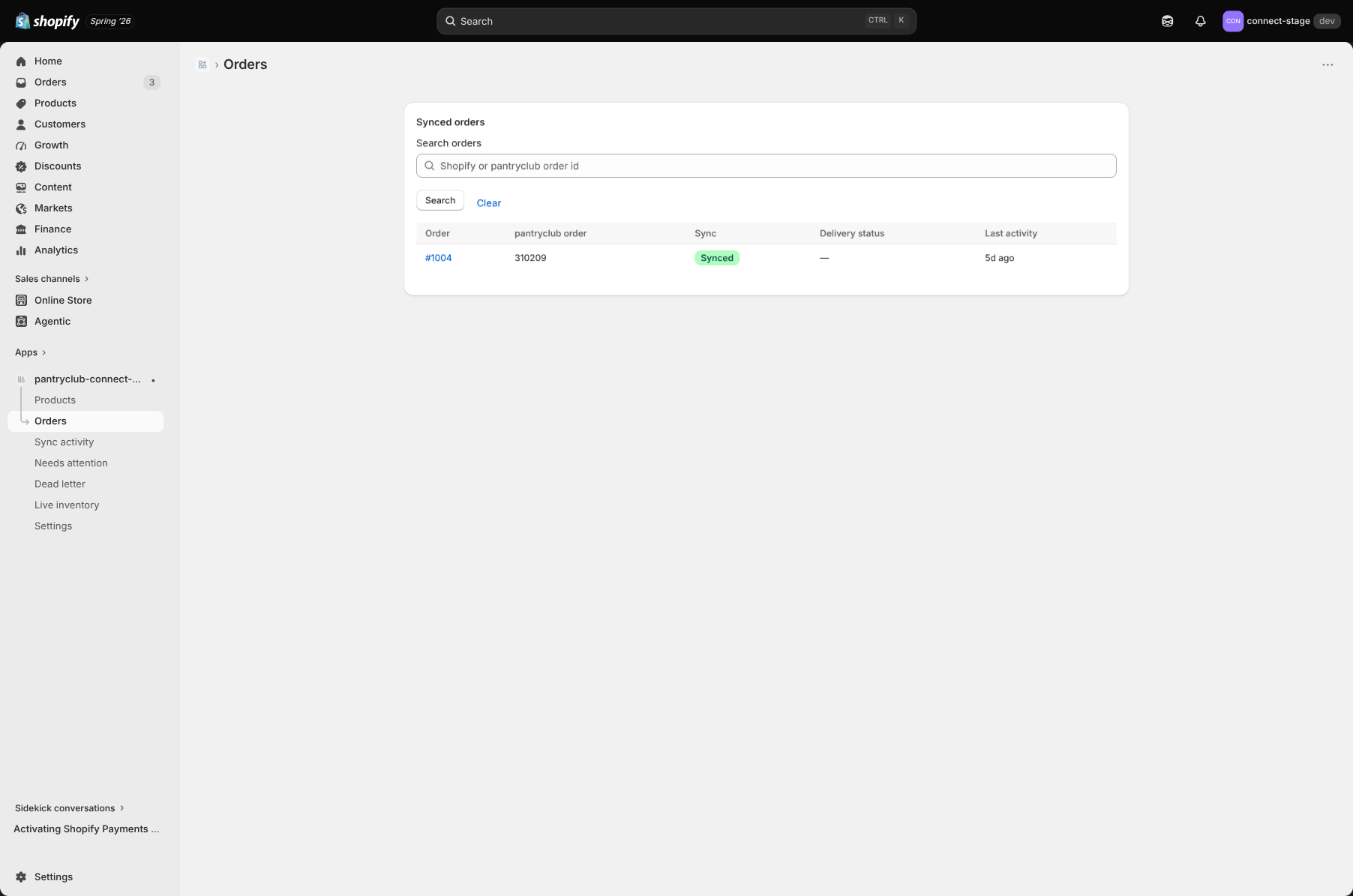
The list is paginated (25 orders per page) and you can search by Shopify order number or PantryClub order number. Each row shows:
- Order — the order name/number.
- PantryClub order number.
- Sync — whether the order reached PantryClub: Synced, Pending, or Needs attention.
- Delivery status — where the order is in the delivery journey (see below).
- Last activity — when something last happened.
Order detail
Section titled “Order detail”Click an order to see everything about it.
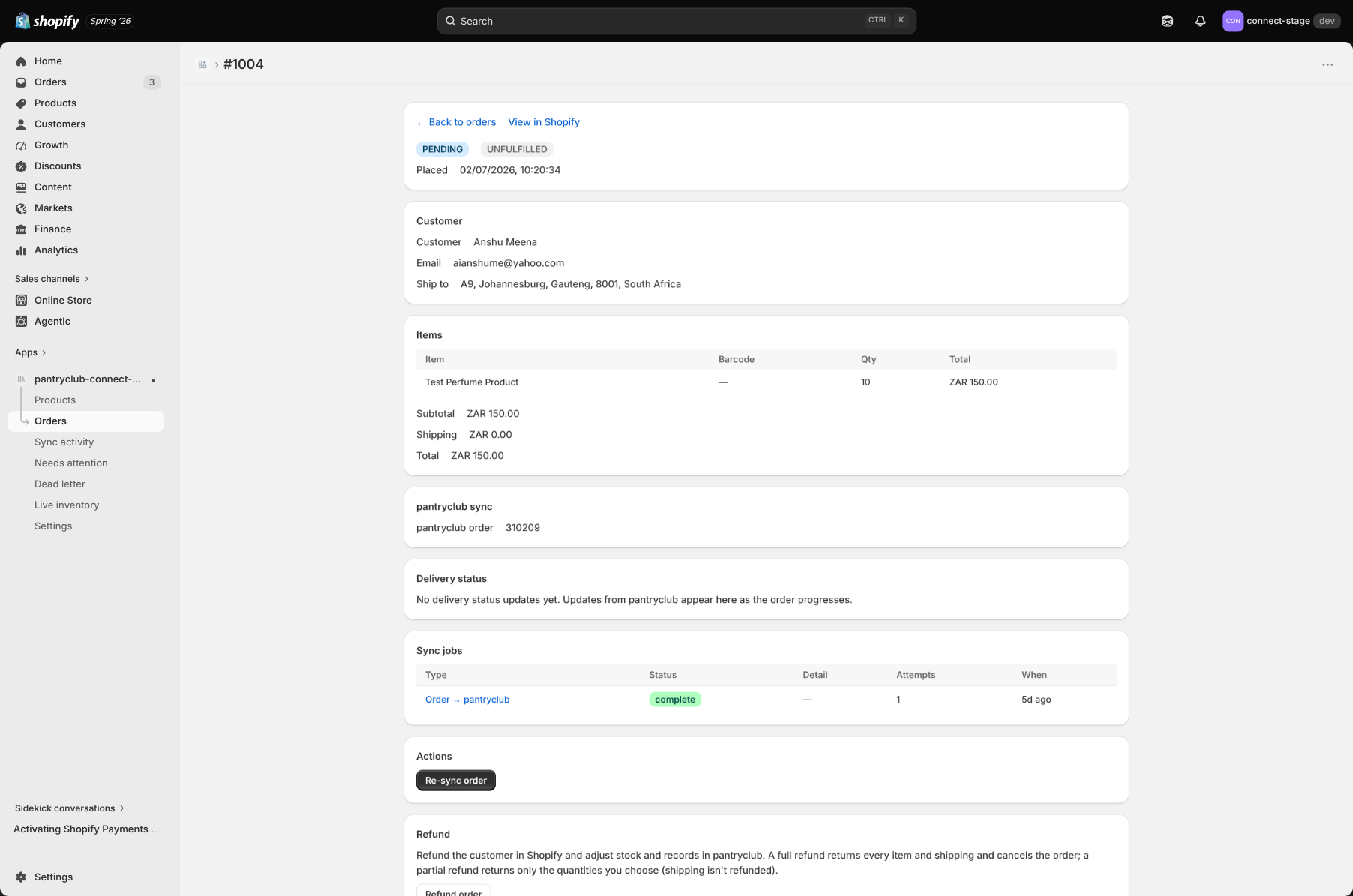
- Order summary — payment and fulfilment status, the date it was placed, and any note.
- Customer — name, email, phone, and the delivery address.
- Line items — each product, its barcode, quantity, and total — plus subtotal, shipping, discount, total, and anything refunded.
- PantryClub sync — the PantryClub order number and its latest status.
- Delivery status timeline — an ordered history of every delivery status update, and whether each one was applied back to Shopify.
- Sync jobs — the history of attempts to keep this order in step.
Delivery statuses explained
Section titled “Delivery statuses explained”As an order progresses, you’ll see these statuses in plain language:
| Status | What it means |
|---|---|
| Received | PantryClub has received the order. |
| Being prepared | The order is being worked on. |
| Ready to pick | The order is ready to be picked in the warehouse. |
| Allocated to driver | The order has been set aside for a driver. |
| Assigned to driver | A driver has been assigned. |
| Collected | The driver has collected the order. |
| Out for delivery | The order is on its way to the customer. |
| Delivered | The order has reached the customer. |
| Failed | The delivery couldn’t be completed (this also covers a cancelled order). |
Actions
Section titled “Actions”- Re-sync order — send the order to PantryClub again if it didn’t go through.
- Retry failed job — try a failed sync again.
- View in Shopify — open the order in your Shopify admin.
- Refund order — start a refund (see Refunds). This is disabled once an order is Collected, Out for delivery, or Delivered.
If an order needs something corrected before it can sync (for example an invalid phone number or an incomplete delivery address), it appears under Needs attention with a hint on what to fix.